

Welcome to Humaanized, your trusted partner in navigating today’s fast-changing human resources landscape. At Humaanized, we know that the true
strength of every successful organization lies in its people. Our mission is totransform the HR industry by offering innovative solutions tailored to thediverse needs of businesses.
We proudly support regional organizations with culturally sensitive and regionally compliant HR services, with a strong focus on HR compliance. Whether through engaging HR webinars that share best practices or leveraging AI in HR to streamline processes, we deliver practical tools that make a real difference.
Our team’s deep knowledge of regulations and diverse workforce dynamics allows us to provide adaptable, effective support for your HR department. We work to empower individuals and organizations by improving HR practices and unlocking human potential. Our vision is simple yet powerful — to build a universally inclusive work environment where everyone thrives.
Contact us today to see how Humaanized can transform your HR department help your organization reach new heights.
 AI recruitment
 Personalized
 Wellness and
 Onboarding
 Management
 Appreciation
 Separation
 Garnishments
The webinar contains everything from writing job descriptions and even entire policies for your handbook to gathering data and market insights to make better decisions for your team.
Learn moreJoin our webinar to discover how humaanized HR technology platforms offer personalized learning experiences, meticulously crafted to unleash each individual's learning potential.
Learn moreJoin our webinar to discover the power of people! Humanzied offers solutions designed to boost individual and company pride, leading to reduced stress, heightened job satisfaction, and laying the foundation for company-wide success.
Learn moreJoin our webinar as we explore the art of positive onboarding in today's flexible work landscape. Learn how to effectively welcome remote team members scattered across the globe, ensuring they feel connected and valued from day one.
Learn moreTo manage effectively, you need to engage your emotional intelligence just as much as you engage yourself cerebrally. Using both our brain and our "gut" allows us to consider all human factors.
Learn moreSay goodbye to cookie-cutter employee recognition strategies! Join our webinar to discover why personalized, sincere, and consistent recognition is the key to unlocking your team's full potential.
Learn moreHumanazied will give you all the related information you need to start your Exit Interview program or improve the one you have. It isn't rocket science, but there are best practices and considerations for doing them well. We intend to get you up to speed quickly and effectively.
Learn moreBesides payroll tax, garnishments, generally, can be the most compliance-rich area for companies to maintain.
Learn more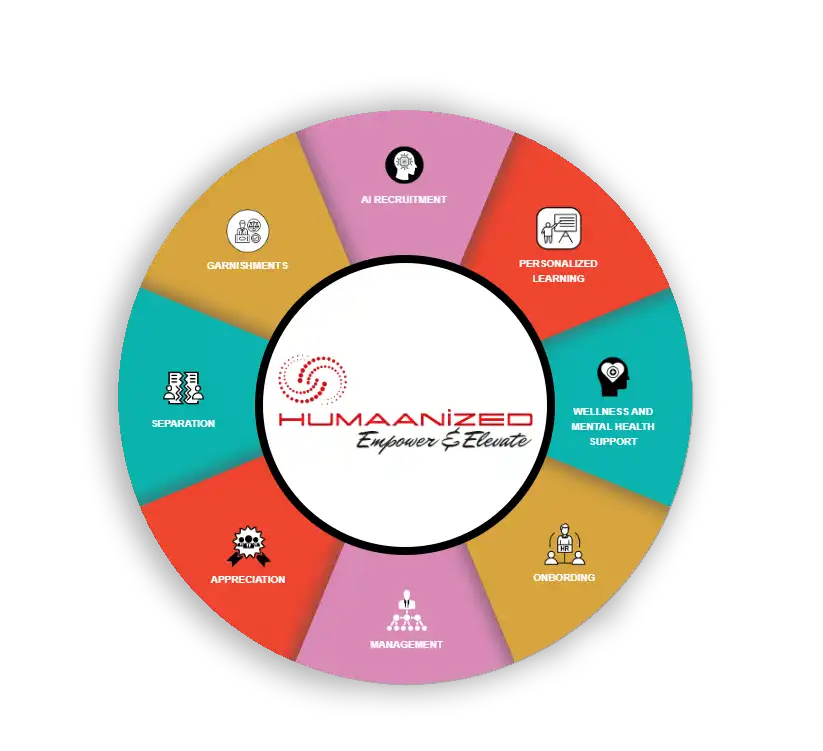

Webinars allow you to learn at your own pace, effortlessly integrating additional training into your schedule.

Incorporate these webinars into HR training sessions for new employees or offer them advanced learning programs for continued professional development.

No matter where you are, you can connect with HR thought leaders and professionals worldwide. With just an internet connection, you can gain insights from leading industry experts.

Stay informed about the latest AI trends and innovations that are transforming HR practices, from automated recruitment processes to advanced employee analytics.

Elevate your HR expertise by staying updated with the latest industry information and trends. Gain access to cutting-edge knowledge on best practices, technological advancements, and innovative strategies.
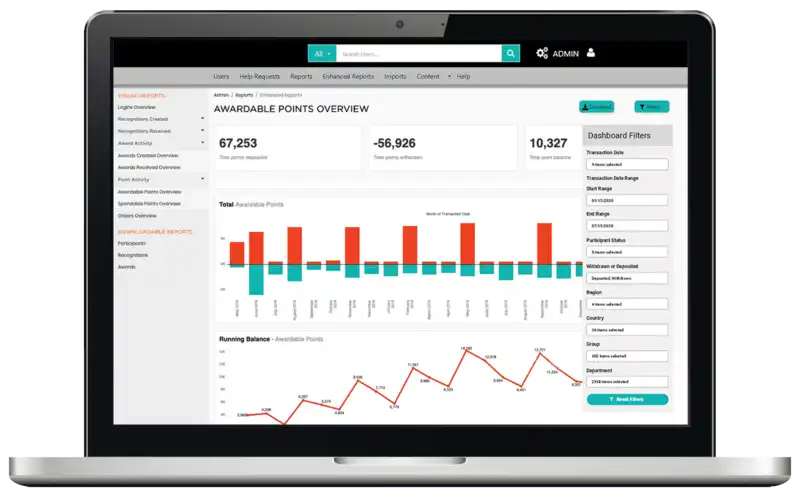
At Humaanized, we believe that a positive work environment is the cornerstone of productivity and exceptional company performance. Our cutting-edge webinar is designed to deliver instant gratification, social satisfaction, and rewards that surpass employee expectations. Discover how webinars can make you feel valued and motivated to excel.
Talk To An Expert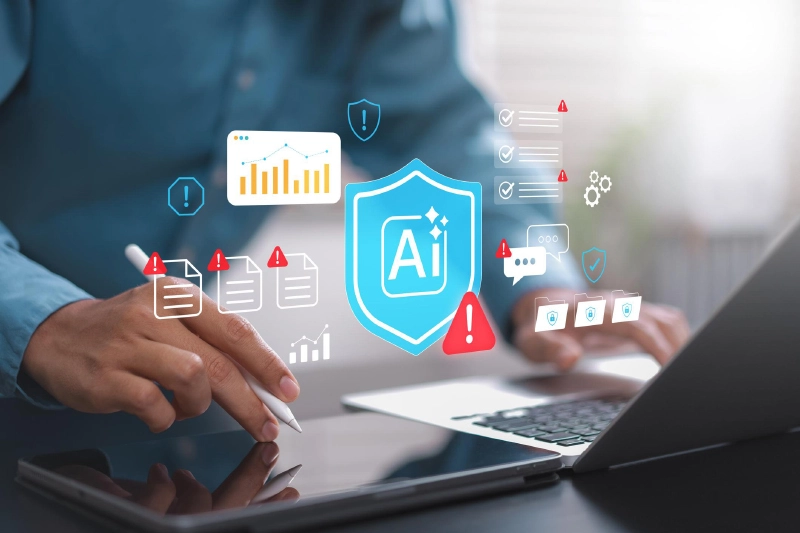
Artificial intelligence arrived at work with a big promise: less busywork, faster results, and more time for meaningful work.
For many corporate employees, that promise sounded like a dream. Instead of spending hours drafting emails, creating presentations, researching market trends, or analyzing data, AI tools were supposed to handle the heavy lifting.
But something unexpected happened.
Many employees aren't saving as much time as expected. They're spending it supervising, correcting, and double-checking AI-generated work. A new workplace phenomenon has emerged: AI Babysitting.
Instead of replacing repetitive tasks, AI has often created a new responsibility—making sure the machine didn't make mistakes in the first place.
A growing number of employees are becoming what some experts call "AI supervisors." The process usually starts with a simple request:
Within seconds, AI produces an answer. Sounds efficient, right?
Not always.
Employees frequently need to verify facts, fix inaccuracies, rewrite awkward language, remove hallucinated information, check calculations, and ensure company policies are followed. What looked like a five-minute shortcut can easily turn into a twenty-minute review session.
The result is a hidden responsibility many organizations never planned for: monitoring AI output before it reaches customers, executives, regulators, or clients.
Across US workplaces, AI has quickly become part of daily operations. Employees commonly use it for:
AI helps create responses, follow-ups, and customer communications faster than starting from scratch.
Teams use AI to summarize findings, generate executive summaries, and structure business reports.
Instead of searching through dozens of sources, employees ask AI to collect information and identify trends.
AI can help identify patterns, summarize datasets, and explain findings in plain language.
Many professionals use AI to generate slide outlines, talking points, and visual suggestions.
These use cases demonstrate why AI productivity became one of the strongest selling points of modern workplace technology.
However, generating content is only half the job.
The biggest challenge isn't creating work. It's trusting it.
AI systems can confidently present incorrect information, outdated statistics, or fabricated references. In many organizations, employees simply cannot afford to assume the output is accurate.
That creates a cycle of review:
This growing level of AI rework often offsets the time originally saved.
For high-stakes tasks involving finance, legal documents, healthcare information, or customer communications, even small errors can create significant business consequences.
As a result, employees remain the final quality-control layer.
When organizations first embraced AI, many expected dramatic improvements in Employee productivity.
Some gains certainly exist.
Routine tasks can be completed faster. Drafts can be produced instantly. Research can begin more quickly than before.
But many companies underestimated an important reality:
Creating content faster does not automatically mean completing work faster.
If employees spend substantial time reviewing, editing, and validating AI output, the expected productivity boost shrinks.
In some situations, workers report completing the same amount of work differently—not necessarily faster.
The work shifted from creation to supervision.
Another unintended consequence is AI fatigue.
Employees are being asked to learn new tools, adapt to changing processes, evaluate AI-generated recommendations, and constantly decide when they can trust machine output.
This creates a unique mental burden. Workers often feel pressure to:
Instead of reducing cognitive load, AI can sometimes increase it. Employees aren't simply doing their jobs anymore.
They're managing a digital coworker that requires continuous oversight.
As organizations accelerate AI adoption, governance often struggles to keep pace. Many employees remain unclear about:
Without clear guidance, organizations expose themselves to unnecessary Compliance risk.
A single inaccurate report, misleading customer communication, or unauthorized data disclosure can create significant reputational and financial consequences.
The challenge is not just technological. It's operational.
Companies that achieve better results with AI typically establish clear rules rather than leaving employees to figure things out independently.
Effective guidelines often include:
Specify where AI can provide value and where human expertise must remain primary.
Different tasks require different levels of verification. Not every AI-generated draft needs the same review process.
Employees should know who owns final approval and responsibility for AI-assisted work.
Workers need practical instruction on recognizing AI errors, bias, and limitations.
Success should be evaluated based on quality, accuracy, and business impact—not simply AI usage rates.
These practices support safer Workflow automation without creating unnecessary confusion.
The most successful organizations aren't treating AI as a replacement for employees. They're redesigning AI workflows around collaboration between humans and machines.
Instead of asking AI to complete entire jobs, they identify specific stages where AI adds value:
Humans then focus on judgment, context, creativity, and final approvals. This approach reduces frustration while improving quality.
It also creates a stronger Employee experience because workers view AI as a helpful assistant rather than another responsibility competing for their attention.
AI isn't failing.
But many expectations were unrealistic.
Technology can accelerate work, but it cannot eliminate the need for human judgment, accountability, and expertise.
The organizations that benefit most from AI won't be the ones deploying the most tools. They'll be the ones integrating AI into broader Digital transformation strategies with clear governance, realistic expectations, and employee-centered processes.
The goal should never be to replace human thinking. The goal should be to amplify it.
When companies redesign processes thoughtfully, AI can finally become what it was meant to be from the start—not another task to manage, but a trusted partner that genuinely helps people work smarter.
June, 17 2026

The workplace is evolving faster than ever. Emerging technologies, changing customer expectations, and shifting business models are transforming the skills employees need to succeed. As organizations navigate these changes, investing in employee growth is no longer optional—it has become a strategic necessity.
In 2026, businesses that prioritize learning and adaptability are better positioned to stay competitive, attract top talent, and respond effectively to market disruptions. This is where upskilling and reskilling play a crucial role in preparing employees for the future of work.
Upskilling refers to helping employees enhance their existing abilities so they can perform their current roles more effectively or take on greater responsibilities. It focuses on expanding expertise and keeping skills relevant as job requirements evolve.
Reskilling involves training employees to perform entirely different roles within an organization. This approach is especially valuable when certain positions become obsolete or when companies need talent in emerging areas.
While the two concepts differ, both support organizational agility and help businesses adapt to changing workforce demands.
The rapid pace of technological advancement has shortened the lifespan of professional skills. What was considered relevant a few years ago may no longer meet today's business needs.
As a result, Continuous learning has become essential for organizations seeking long-term success. Companies that foster a learning culture empower employees to stay current, embrace innovation, and adapt to new challenges more effectively.
Beyond improving performance, ongoing learning initiatives also help organizations remain resilient during periods of change and uncertainty.
As businesses continue their digital transformation journeys, organizations must focus on developing both technical and human-centered capabilities.
Some of the most in-demand areas include:
With artificial intelligence becoming deeply integrated into business operations, developing AI skills
is increasingly important across departments—not just within technical teams.
Organizations should also invest in broader Skills development initiatives that align employee growth with future business objectives.
Employees are more likely to remain with organizations that invest in their professional growth. Learning opportunities signal that the company values its workforce and is committed to supporting career advancement.
When employees gain new capabilities, they often feel more engaged, confident, and motivated in their roles. This creates stronger job satisfaction and reduces the likelihood of seeking opportunities elsewhere.
Strategic Employee training programs also help individuals see a clear path for progression within the organization, strengthening loyalty and reducing turnover costs.
In a competitive labor market, learning and development opportunities can be a powerful differentiator for employers seeking to retain high-performing talent.
Creating a culture of learning requires leadership support at every level of the organization.
HR teams are responsible for identifying skill gaps, designing learning frameworks, and aligning development initiatives with business goals. They also play a key role in supporting broader Talent development strategies that prepare employees for future opportunities.
Managers, meanwhile, serve as learning champions within their teams. Through effective Manager training, leaders can better coach employees, provide constructive feedback, and encourage continuous growth.
When HR and managers work together, learning becomes embedded in daily operations rather than treated as a one-time activity.
Successful learning initiatives require more than simply offering courses. Organizations need a structured approach that aligns workforce capabilities with strategic priorities.
Key steps include:
Assess workforce capabilities and determine which competencies will be required in the coming years.
Training programs should directly support organizational goals, digital transformation initiatives, and future workforce needs.
Different employees require different learning experiences based on their roles, career aspirations, and skill levels.
Combine online courses, workshops, coaching, mentoring, and experiential learning opportunities to maximize engagement.
Long-term Capability building efforts should prioritize practical application, ensuring employees can effectively use new skills in real-world situations.
A comprehensive Workforce training strategy should be flexible enough to evolve alongside changing business requirements and industry trends.
Measuring impact is essential for ensuring learning investments deliver meaningful business outcomes.
Organizations should establish clear Training metrics that evaluate both learning effectiveness and business performance.
Common indicators include:
Regular evaluation helps organizations refine learning strategies, improve participation, and maximize return on investment.
As technology continues to reshape the workplace, organizations can no longer rely solely on hiring new talent to meet evolving skill requirements. Investing in employee growth through structured learning initiatives has become a critical business strategy.
By embracing upskilling and reskilling, companies can build a future-ready workforce, improve employee retention, close critical skill gaps, and create a culture of adaptability. In 2026 and beyond, organizations that prioritize learning will be better equipped to navigate change and achieve sustainable success.
June, 03 2026

In 2026, managers are not just leading teams; they are leading people through uncertainty. AI is changing how work gets planned, measured, reviewed, and delivered. While companies are investing heavily in automation and smarter tools, many managers are stuck in the middle—expected to deliver faster results while helping employees feel safe, skilled, and valued.
Recent workplace reports show why this matters. Global employee engagement dropped from 23% to 21%, and manager engagement also declined from 30% to 27%. At the same time, most companies are increasing AI investment, but only a small percentage say their AI adoption is truly mature. This gap creates a perfect storm for Manager burnout.
Managers now have to balance productivity, emotional support, training, ethics, and team confidence—all while dealing with their own uncertainty.
Key pressures include:
Managers are under more pressure because change is no longer occasional. It is constant. Earlier, a team might adjust to one new software system or one new process. Now, AI is reshaping workflows, roles, meetings, reports, customer interactions, and decision-making all at once.
This creates performance pressure because managers are expected to increase productivity quickly, even when their teams are still learning how to use AI properly. The manager becomes responsible for both the business outcome and the emotional reaction of the team.
The biggest pressure points are:
This is why Leadership burnout is becoming so common. Managers are not only managing tasks; they are absorbing uncertainty from every direction.
AI may look like a technology project, but its success depends on people. A tool can be powerful, but if employees do not trust it, understand it, or feel comfortable using it, adoption will fail. That is why People management has become central to AI success.
Employees are asking practical and emotional questions. Will AI replace my role? Will my performance be compared to AI output? What happens if the tool gives a wrong answer? Am I still valuable if AI can do part of my work?
Managers need to address these concerns openly. They should explain:
AI adoption succeeds when people feel included, not threatened.
One major pain point is unclear direction. Many managers are told to “use AI” or “be more efficient,” but they are not always given a clear roadmap. This leaves them guessing how to apply AI without creating confusion.
Another problem is uneven adoption. Some employees experiment with AI quickly, while others avoid it completely. This creates gaps in confidence, quality, and speed across the team.
Common pain points include:
Leading AI-driven change well means making change understandable, safe, and useful. Managers should not introduce AI as a dramatic revolution. They should introduce it as a practical support system that helps the team do better work.
Good managers connect Digital transformation to everyday tasks. Instead of saying, “We are becoming AI-first,” they say, “We will use AI to summarize customer notes, but final decisions will still be reviewed by a human.”
Strong AI leadership looks like this:
The goal is not to force people to use AI. The goal is to help them use it with confidence and judgment.
When a team is not coping well, the signs are often quiet at first. People may stop asking questions, avoid meetings, or agree publicly while feeling confused privately. This kind of silence can be dangerous because it hides stress.
Another warning sign is when employees either over-trust AI or avoid it completely. Some may copy AI outputs without checking them. Others may continue doing everything manually because they feel uncomfortable or afraid.
Managers should watch for:
If curiosity disappears, the team may be moving from learning mode into survival mode.
Managers should introduce AI slowly and intentionally. The best approach is to start with a small workflow where AI clearly reduces effort. For example, AI can help draft summaries, organize notes, analyze patterns, or reduce repetitive admin work
The key is to remove something old when something new is added. If a team gets a new tool but keeps every old process, the result is overload. Good Workflow change should make work lighter, not heavier.
Managers can reduce burnout by:
A successful AI rollout should feel like support, not surveillance.
Managers can protect engagement by making employees feel involved in the change. People are more likely to support AI when they have a voice in how it is used. This protects Workplace culture because it keeps trust, fairness, and belonging at the center.
At the same time, managers still need to drive results. The solution is not to avoid performance goals. The solution is to connect performance with capacity, clarity, and care.
Managers can protect both culture and performance by:
Performance improves when people feel safe enough to learn, adapt, and speak honestly.
AI will continue to change how teams work, but managers will decide how that change feels. If AI is introduced without clarity, support, and emotional awareness, it can create stress, resistance, and burnout. But when managers lead with purpose, patience, and structure, AI can become a tool for better work—not just faster work.
The future will not belong to teams that adopt every tool first. It will belong to teams that learn wisely, protect trust, and keep people at the center of change.
May, 06 2026
Dive into a tailored webinar experience that reaches across the country! Choose your topic of interest, indicate the number of participants, and let us handle the rest, ensuring smooth and engaging webinars for your organization.
Talk To An Expert

SPHR and SHRM-SCP
Diane L. Dee, President, and Founder of Advantage HR Consulting, LLC is a senior Human Resources professional with over 30 years of experience in the HR arena.

Head of Compliance Training, North America (GRC Solutions)
Justin brings over 20 years of experience in banking compliance, training, and regulation. He currently leads as Head of Compliance Training North America at GRC Solutions and has held training leadership roles at Bank of China, Macquarie Group, and JPMorgan Chase.

PHR, SHRM-CP
Margie Faulk is a senior-level human resource professional with over 15 years of HR management and compliance experience.


Project Management Professional
Chris DeVany is the founder and president of Pinnacle Performance Improvement Worldwide, a firm that focuses on management and organization development.

Director of Payroll at Ann & Robert H. Lurie Children's Hospital of Chicago
Dayna has been heavily involved in the payroll field for over 17 years.

Founder, The Focus Group
Pete Tosh is the Founder of The Focus Group, a management consulting and training firm that assists organizations in sustaining profitable growth through four core disciplines

25+ years experience in payroll tax
Mark Schwartz is an employment tax specialist with payroll tax experience. He has deep expertise in federal and state employment tax law, built through years of hands-on work in enforcement and consulting.
“We've collaborated with Humaanized and attended a series of webinars covering various HR topics, and we have been thoroughly impressed. Their exceptional attention to speaker preparation stands out. It has proven to be an excellent platform for effortlessly connecting with our industry experts.”
Symonie Morrison
People Scientist
“I recently attended an HR webinar, and it was incredibly informative and helpful. I gained valuable insights and practical tips that I can apply in my human resources journey. I highly recommend Humaanized webinars to anyone in the HR field.”
Evelyn Chojnacki
HR Consultant
“Your webinar presentation was outstanding. I will definitely attend more sessions, as all the information you provided was incredibly helpful and clearly came from an expert. This is an excellent platform with brilliant speakers, and you really enlighten me to deepen my industry knowledge and insights.”
Larry Duarte
CEO
“Humaanized has been an effective platform for HR webinars. I requested them to arrange an On-Demand webinar for my whole HR team, and it was really a great experience for us. The presenter demonstrated the best HR tips and compliance training and supported our thought leadership. The Humaanized team made the process seamless for us.”
Ben Simmons
Vice President of HR
“I was struggling with employee retention, but Humaanized provided invaluable support. Their informative webinars and effective strategies significantly helped me improve retention rates. Their expert guidance and practical advice have been indispensable, and I highly recommend their services to anyone facing similar challenges.”
Rachael Watkins
Chief HR Strategy Officer
“I strongly recommend this HR webinar platform for its cutting-edge industry insights and comprehensive information. Each webinar is well-structured and delivered by industry experts, providing practical and relevant advice. This platform is an invaluable tool for staying informed about the latest HR trends and best practices.”
Harry Grierson
HR Compliance Practitioner

Do you have questions about our webinar or need assistance? Just give us a call! Our friendly team is ready to provide you with all the answers and support you need. Don't hesitate—we're just a phone call away to ensure you have a seamless and enriching experience.
Request a Call
Talk to a Humaanized expert today and learn more about creating a culture of workplace pride.
